
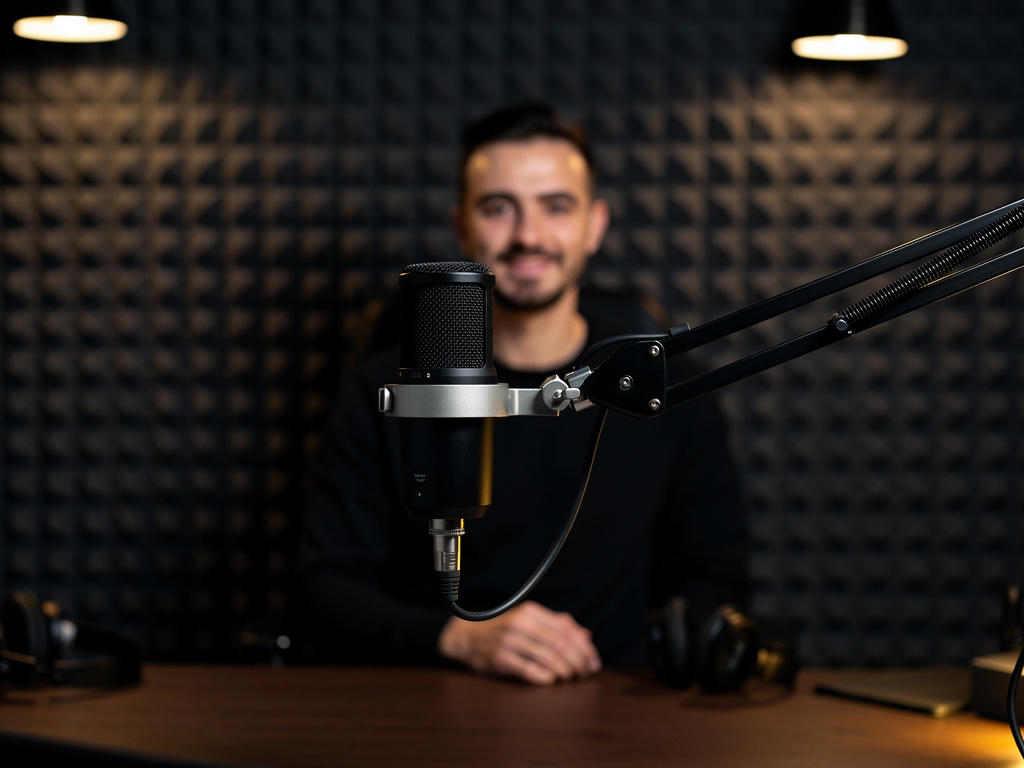
It's 7 AM, and you're staring at a pile of scripts for your upcoming YouTube videos. Your throat is still sore from yesterday's marathon recording session, and you know you'll need to re-record half of those voiceovers because the audio quality wasn't consistent. As a content creator, you've been there before – caught between the need to produce more content and the physical limitations of your voice.
But imagine if you could create unlimited voiceovers in your authentic voice without the endless recording sessions. Imagine turning your scripts into professional narration with just a few clicks, while maintaining that personal connection your audience loves.
Thanks to advances in AI voice cloning technology, this isn't just imagination anymore. Content creators are discovering how to scale their production while keeping their unique voice – the cornerstone of their personal brand. This transformation in content creation is making it possible to maintain consistent quality across all your content, from YouTube videos to podcasts, without the physical strain of constant recording.
In this guide, we'll walk through the exact steps to clone your voice using AI technology, helping you break free from the recording booth while keeping your content authentically you.
Step 1: Prepare Your Voice Sample
The foundation of high-quality voice cloning lies in your initial voice sample. Think of it like taking a portrait photo – the better the original, the better the result.
Find a quiet room with minimal echo. Your closet, surprisingly, can be perfect for this – clothes naturally dampen sound reflections. Position yourself comfortably and use your regular content creation microphone if you have one. If not, even a good quality smartphone in a quiet environment can work.
Speak naturally, as if you're talking to your audience. The key is to maintain your normal speaking rhythm and tone – don't try to put on a 'special' voice. Include a mix of statements and questions to capture your full vocal range.
Avoid common pitfalls like background music, heavy breathing sounds, or rushing through your words. Take breaks between sentences to ensure clean separation of sounds. Remember, you're creating a blueprint of your voice, so clarity is crucial.
Perfect Sample Selection
Choose content you're comfortable with and regularly create. If you mainly do tutorials, record yourself explaining something. If you do vlogs, record a story. This ensures your voice clone captures your most natural speaking patterns.
Step 2: Record Your Training Sample
With your environment prepared, it's time to record your training sample. The most effective approach is to read a variety of content that showcases your natural speaking style.
Start with an introduction like you'd give in your videos: 'Hey everyone, welcome back to my channel!' Then move into some typical content you create – whether that's tutorial explanations, story narration, or product reviews. Mix in both emotional and neutral tones to capture your full range.
Pay attention to your pacing and enunciation. Speak clearly but naturally – you're not recording a formal audiobook. If you make a mistake, simply pause and restart that sentence. You can edit out mistakes later.
Many content creators find it helpful to record a few different samples and compare them. Listen back to each recording and choose the one that best represents your natural speaking voice. The goal is to capture your authentic tone, including those little vocal quirks that make your voice distinctly yours.
Step 3: Clean and Optimize Your Audio
Even the best voice recording can benefit from some basic cleanup to ensure optimal cloning results. This step is about refining your audio without losing your natural voice characteristics.
Start by trimming any dead space at the beginning and end of your recording. Remove any obvious mistakes or re-takes. Listen for and cut out any background noises that slipped in – things like chair squeaks, keyboard clicks, or door sounds.
If you're using audio editing software, apply a noise reduction filter with a light touch. The goal is to remove background hiss without making your voice sound processed or robotic. Many creators make the mistake of over-processing their sample, which can actually reduce the quality of the final clone.
Export your cleaned audio as a high-quality WAV or MP3 file. Avoid using heavily compressed formats that might lose important voice details.
Voice Cloning Myths Debunked
Myth
You need hours of voice recordings to create a good voice clone
Reality
Modern AI voice cloning technology can create high-quality voice clones from just a short, clear sample. Focus on quality over quantity.
Step 4: Upload and Train Your Voice Clone
Now comes the exciting part – creating your digital voice twin. This is where Voice Cloning by Smallest AI shines, turning your voice sample into a working clone with remarkable accuracy.
Start by uploading your cleaned audio file to your chosen platform. The system will analyze your voice patterns, including your unique pitch, tone, and speech rhythms. During this process, the AI learns how you pronounce different sounds and how your voice varies in different contexts.
While the training process runs, take time to review the platform's settings and features. Many systems offer controls for adjusting speaking rate, emphasis, and emotional tone. Familiarize yourself with these options – they'll be valuable when you start creating content.
Pay attention to any feedback the system provides about your sample quality. If it suggests improvements, consider recording a new sample following those recommendations. The goal is to create the most accurate and natural-sounding clone possible.
Step 5: Test and Refine Your Voice Clone
Before diving into full production, it's crucial to test your voice clone thoroughly. This testing phase helps ensure your digital voice maintains your authentic sound across different types of content.
Start with a simple test: type in a phrase you commonly use in your content. How does it sound? Compare it to your natural voice. Pay attention to pronunciation, pacing, and emotional tone. Try various types of sentences – questions, exclamations, longer explanations.
Experiment with different content styles. Test both casual conversation and more formal script reading. If you create educational content, try explaining a concept. For storytelling, test some narrative passages. This variety helps you understand how your clone handles different content types.
Listen critically for any quirks or issues. Does it handle your common phrases naturally? Are there any words it pronounces oddly? Make note of these – you can often work around them by adjusting your script writing.
Voice Clone Testing Checklist
- Test common phrases and greetings you use
- Try different emotional tones (excited, serious, casual)
- Check pronunciation of industry-specific terms
- Test various content types (tutorials, stories, announcements)
- Compare clone to your natural voice recordings
- Get feedback from trusted audience members
Step 6: Integrate Voice Cloning into Your Workflow
With your voice clone ready, it's time to incorporate it into your content creation process. This step is about building efficient workflows that save you time while maintaining quality.
Start small – perhaps with a short video or podcast segment. Write your script with voice cloning in mind. Use natural language and conversational phrasing. Break longer sentences into shorter ones for more natural-sounding delivery.
Develop a system for organizing your voice-cloned content. Create separate folders for raw outputs, edited files, and final productions. Consider batch-processing several scripts at once to maximize efficiency.
Remember to maintain consistency with your regular content. Your audience shouldn't be able to tell which parts use your natural voice and which use your clone. This might mean adjusting your clone's settings or your script writing style until everything flows seamlessly.
Conclusion
As you've seen, voice cloning isn't just about technology – it's about freeing yourself to create more while maintaining your authentic connection with your audience. By following these steps and best practices, you're now equipped to transform your content creation process.
Remember that voice cloning is a tool to enhance your creativity, not replace your personal touch. Use it wisely to scale your content while keeping that genuine connection your audience values. As you integrate this technology into your workflow, you'll find more time to focus on what truly matters – creating engaging content that resonates with your viewers and listeners.
Whether you're scaling your YouTube channel, launching a podcast series, or creating educational content, your cloned voice can help you maintain consistency while breaking free from the physical limitations of traditional voice recording.

How Voice Cloning by Smallest AI Transforms Content Creation
Smallest AI
10-Second Voice Cloning
Quickly create your voice clone without lengthy recording sessions, perfect for busy content creators
Studio-Grade Precision
Maintain professional sound quality across all your content, ensuring consistency in your personal brand
Instant Voice Generation
Transform your scripts into voice content immediately, helping you scale your production efficiently
Frequently Asked Questions
Sources & References
- 1
How AI Voice Cloning Works: A Simple Guide for Creators & Brands
https://www.dupdub.com/blog/how-ai-voice-cloning-works
- 2
How to clone a voice: beginner's guide to AI voice cloning
https://www.amplemarket.com/blog/how-to-clone-a-voice-beginners-guide-to-ai-voice-cloning
- 3
How to Clone My Voice: A Step-by-Step Guide to AI Voice Cloning
https://www.revocalize.ai/blog/how-to-clone-my-voice-a-step-by-step-guide-to-ai-voice-cloning
- 4
Copy Someone's Voice with AI Easy Guide | by Mr Rao - Medium
https://medium.com/@official.raoamjid381/copy-someones-voice-with-ai-easy-guide-5ae8bf8b2fc3
- 5
AI Voice Cloning Example and Tutorial: Hyper-Realistic Results in ...
http://www.allvoicelab.com/blog/ai-voice-cloning-example-and-tutorial
- 6
AI Voice Cloning: Clone Your Voice in Minutes - ElevenLabs
https://elevenlabs.io/voice-cloning
- 7
How to Clone a Voice with AI in 2025 (Step-by-Step Guide ...
https://replicavox.com/blog/how-to-clone-voice-with-ai
- 8
How to Clone Your Voice with AI (A Step-by-Step Guide) | Kukarella
https://www.kukarella.com/resources/text-to-speech/how-to-clone-your-voice-with-ai-a-step-by-step-guide
- 9
How to Clone Your Voice with AI - YouTube
https://www.youtube.com/watch?v=AiRksVoiUAI
- 10
How To Clone Your Voice with AI (100% Realistic) - YouTube
https://www.youtube.com/watch?v=N9Ij_nENKvg
- 11
Ultimate guide to hyper-realistic Custom Voice Cloning
https://community.heygen.com/public/resources/best-practices-for-cloning-your-voice
- 12
AI Voice Cloning Guide: Clone Any Voice for Videos (2026) | Autoclips
https://www.autoclips.app/ai-voice-cloning-guide
More from Smallest AI
How to Automate Your Podcast Transcription: A Step-by-Step Guide for Content Creators
Learn how to automate podcast transcription effectively. Transform your audio content into searchable text, improve accessibility, and streamline content repurposing.
Voice Fatigue Solutions: How AI Speech Generation Saves Creator Health
Discover how AI speech generation helps YouTubers and course creators protect their vocal health while scaling content production. Learn sustainable voice solutions for content creators.
How to Transform Your Podcast Audio into SEO-Rich Content Automatically
Learn how to automate podcast transcription and convert your audio content into SEO-optimized text, show notes, and social media posts efficiently.