
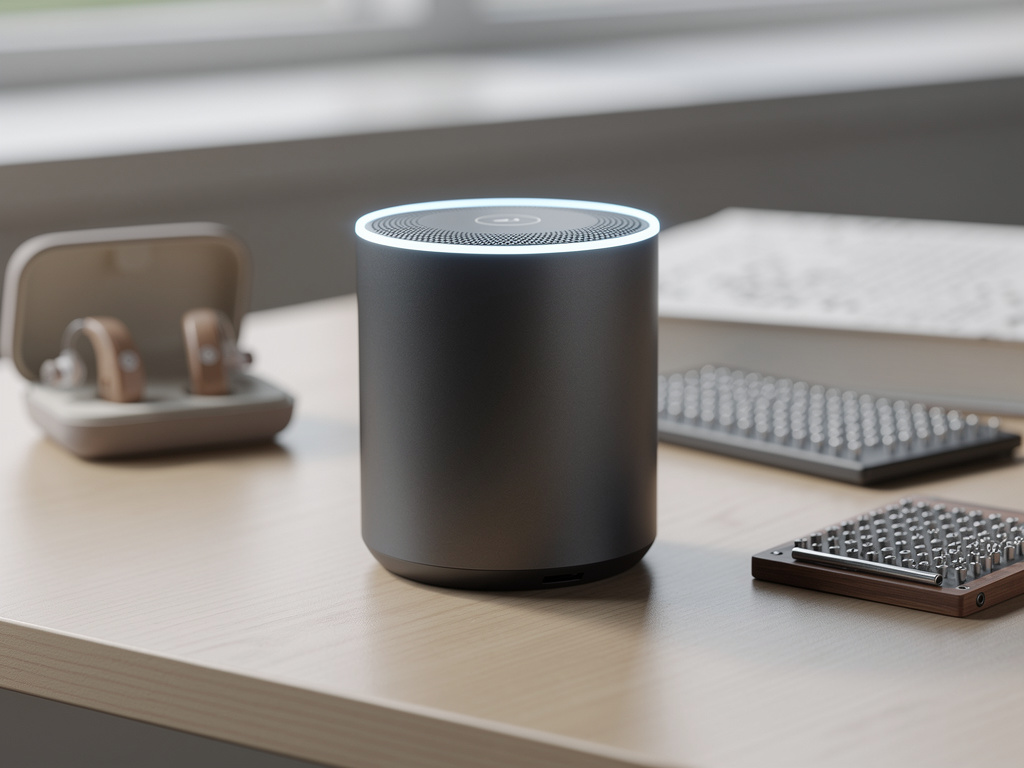
What if your product's voice interface worked beautifully for every user, regardless of their speech patterns, accent, or abilities? As a product manager focused on accessibility, you know this isn't just a nice-to-have – it's an essential goal that can feel frustratingly out of reach.
The reality is that traditional voice interfaces often fail users with speech impairments, struggle with diverse accents, and create barriers for those who need multiple modes of communication. You're likely familiar with the challenge of balancing accessibility requirements while keeping development costs manageable and meeting aggressive timelines.
But there's good news: voice AI technology has evolved significantly, making truly inclusive voice interfaces more achievable than ever before. Leading organizations are now implementing accessibility-first voice features that serve all users equally well, as highlighted by Microsoft's Ability Summit.
In this guide, we'll explore seven essential voice AI accessibility features that will transform your product into an inclusive powerhouse. We'll focus on practical implementation strategies that work within real-world constraints while delivering meaningful accessibility improvements.
Real-Time Multimodal Communication Support
The cornerstone of accessible voice AI is the ability to process and output information in multiple formats simultaneously. This isn't just about offering alternatives – it's about creating a seamless experience where users can freely mix voice and text input while receiving synchronized audio and visual output.
As a product manager, you've likely encountered users who need to switch between communication modes depending on their environment or energy levels. For example, someone with a speech impairment might prefer to type in public settings but use voice in private. Others might need to see text while hearing speech to fully process information.
The key is implementing voice AI that processes multiple input modes in parallel, rather than treating them as separate channels. This means the system should maintain context and continue conversations smoothly even when users switch between voice and text. The interface should also provide real-time visual feedback during voice interactions, helping users with auditory processing difficulties stay engaged.
More importantly, the system should maintain the emotional nuance and intention of communication across modes. When a user switches from voice to text, their tone and meaning should carry through, rather than being lost in translation.
Hydra by Smallest AI excels in this area, using a unified model that processes speech and text simultaneously while preserving emotional context across modes.
Accessibility Implementation Checklist
- Conduct user research with diverse ability groups
- Test with various assistive technologies
- Implement WCAG 2.1 Level AA compliance
- Document accessibility features clearly
- Create feedback channels for accessibility issues
- Plan regular accessibility audits
Adaptive Speech Recognition for Diverse Voices
Voice AI must work reliably for users with diverse speech patterns, accents, and verbal abilities. This goes beyond basic accent recognition – it means implementing systems that can adapt to individual speech patterns over time.
Users with speech impairments often face frustration when voice interfaces fail to recognize their consistent, but non-standard, speech patterns. Similarly, users with strong regional accents or those speaking English as a second language frequently encounter accuracy issues that make voice features unusable.
The solution lies in implementing adaptive recognition systems that learn from each interaction. These systems should identify consistent patterns in a user's speech, even if they differ from standard pronunciation, and adjust their recognition models accordingly. This personalized approach ensures that users don't have to modify their natural way of speaking to be understood.
Equally important is the ability to maintain context across interactions. When the system understands the conversation context, it can better interpret unclear speech by using semantic cues to fill in gaps.
Customizable Voice Output Controls
Different users have different needs when it comes to voice output. Some may need slower speech rates for processing information, while others might require specific pitch ranges that work better with their hearing aids.
Implement granular controls that allow users to adjust:
- Speech rate without distortion
- Pitch and tone range
- Volume normalization
- Pause duration between sentences
- Voice gender and character
These controls should be easily accessible and persistent across sessions. Remember that users shouldn't have to reconfigure their preferences every time they use your product.
Equally important is providing preview functionality so users can test different voice settings before applying them. This helps users, especially those with auditory processing challenges, find the exact configuration that works best for them.
Voice AI Accessibility Myths
Myth
Accessible voice features are only needed by a small number of users
Reality
Accessible voice features benefit all users, improving usability across different situations and environments. Features like clear audio output, flexible input methods, and customizable interfaces help everyone, not just users with specific needs.
Intelligent Interruption Handling
For users with speech disabilities or cognitive processing needs, the ability to pause, resume, and correct voice interactions naturally is crucial. Traditional voice interfaces often fail when users need to take breaks, collect their thoughts, or correct mistakes.
Implement an intelligent interruption system that can:
- Maintain context during pauses
- Allow users to resume from where they left off
- Support mid-sentence corrections
- Provide clear visual and audio cues about the system's listening state
The system should never time out without explicit user confirmation, as some users may need extended time to formulate responses. It should also provide clear feedback about what was understood and offer natural ways to make corrections.
This feature is particularly important for users who experience fatigue during extended voice interactions or those who need to break complex commands into smaller chunks.
Emergency Fallback Modes
Accessibility features must remain reliable even when things go wrong. Users who depend on voice interfaces for essential tasks need dependable fallback options.
Design your system with multiple layers of fallback modes:
- Offline voice processing for basic commands
- Text-based emergency interfaces
- Simple, one-touch emergency controls
- Alternative communication channels
These fallback modes should be immediately available without complex navigation or setup. They should also maintain as much of the user's configured accessibility settings as possible, even in reduced functionality modes.
Regularly test these fallback modes with users who rely on accessibility features to ensure they remain practical and useful in real-world situations.
Privacy-Preserving Voice Processing
Users with accessibility needs often share sensitive health and personal information through voice interfaces. Implementing robust privacy measures isn't just about compliance – it's about ensuring users feel safe using essential accessibility features.
Develop voice processing systems that:
- Process sensitive commands locally when possible
- Encrypt voice data in transit and at rest
- Provide clear privacy controls and indicators
- Allow users to review and delete their voice data
Make privacy controls accessible through multiple interaction modes, ensuring that privacy management itself doesn't become an accessibility barrier. Users should always understand what voice data is being collected and how it's being used.
This is particularly important in healthcare and personal assistance contexts, where voice interactions might contain protected health information or sensitive personal details.
Continuous Learning and Improvement
The most effective accessible voice interfaces learn and improve from user interactions while respecting privacy and consent. This isn't about collecting data indiscriminately – it's about thoughtfully gathering feedback to enhance accessibility.
Implement a system for:
- Anonymous usage pattern analysis
- Opt-in feedback mechanisms
- Regular accessibility audits
- User experience surveys focused on accessibility
More importantly, establish a clear process for incorporating user feedback into feature improvements. This includes regular consultations with accessibility experts and user groups representing different abilities and needs.
Keep users informed about improvements made based on their feedback, fostering a sense of community and shared progress in making voice technology more accessible.
Conclusion
The journey to truly accessible voice AI features is ongoing, but implementing these seven essential features will significantly improve your product's inclusivity. Remember that accessibility isn't a checkbox – it's a continuous commitment to serving all users effectively.
As you implement these features, stay focused on real user needs rather than technical specifications. Regular testing with diverse user groups and continuous feedback loops will help ensure your accessibility features truly serve their intended purpose.
The future of voice AI is inclusive by design, and products that embrace these accessibility features now will be better positioned to serve the growing demand for truly universal voice interfaces.

How Hydra by Smallest AI Enables Inclusive Voice Interactions
Smallest AI
Multi-modal Processing
Enables seamless switching between voice and text while maintaining conversation context
Emotional Conditioning
Preserves emotional nuance across different communication modes, essential for authentic interaction
Sub-300ms Latency
Provides immediate feedback crucial for users with various processing needs
Frequently Asked Questions
Sources & References
- 1
Accessible AI (A11yAI)— A Voice for the Impaired - LinkedIn
https://www.linkedin.com/pulse/accessible-ai-a11yai-voice-impaired-sam-bobo-yaype
- 2
AI in Accessibility: Voice and Gesture Benefits - DeveloperUX
https://developerux.com/2025/08/15/ai-in-accessibility-voice-and-gesture-benefits/
- 3
Recognizing Individual Voices, Bespoke AI Appliances Improve ...
https://news.samsung.com/global/recognizing-individual-voices-bespoke-ai-appliances-improve-accessibility
- 4
Ability Summit 2024: Advancing accessibility with AI technology and ...
https://blogs.microsoft.com/blog/2024/03/07/ability-summit-2024-advancing-accessibility-with-ai-technology-and-innovation/
- 5
AI-Driven Accessibility in UX: Designing Inclusive, Intelligent Interfaces
https://fuselabcreative.com/ai-driven-accessibility-in-ux-designing-inclusive-intelligent-interfaces/
- 6
6 Accessibility Trends EdTech Can't Miss in 2025!
https://www.magicedtech.com/blogs/6-accessibility-trends-edtech-cant-miss-in-2025/
- 7
5 'Accessibility Features' You Use Every Day (Without Realizing It)
https://medium.com/@adrianama.forero/5-accessibility-features-you-use-every-day-without-realizing-it-7d6deaa187fe
- 8
How Gen Z Is Mainstreaming Accessibility – Inclusive Design - SQUER
https://www.squer.io/blog/bridging-the-digital-divide-how-gen-z-is-changing-the-accessibility-conversation-part-1-of-2
- 9
Accessible by design: Creating inclusive experiences with Kontent.ai
https://kontent.ai/blog/accessible-by-design-creating-inclusive-experiences-with-kontent-ai/
- 10
Voice AI surge: How talking tech could reshape business - IBM
https://www.ibm.com/think/insights/ai-voice-surge
- 11
Building an Inclusive AI Future - ServiceNow Blog
https://www.servicenow.com/blogs/2025/building-inclusive-ai-future
- 12
The Use of AI for Accessibility and Inclusion | Resource Library
https://taylorinstitute.ucalgary.ca/resources/using-ai-accessibility-and-inclusion
More from Smallest AI
How to Automate Your Podcast Transcription: A Step-by-Step Guide for Content Creators
Learn how to automate podcast transcription effectively. Transform your audio content into searchable text, improve accessibility, and streamline content repurposing.
Voice Fatigue Solutions: How AI Speech Generation Saves Creator Health
Discover how AI speech generation helps YouTubers and course creators protect their vocal health while scaling content production. Learn sustainable voice solutions for content creators.
How to Transform Your Podcast Audio into SEO-Rich Content Automatically
Learn how to automate podcast transcription and convert your audio content into SEO-optimized text, show notes, and social media posts efficiently.